I love using "Todo" from Appigo on my iPad. Recently it stopped synching, probably due to a software update on either my laptop/desktop or on the iPad itself. Efforts to reinstate synching proved mostly futile.
I finally got it working again after checking a few things (in no particular order.)
1. Verify the IP address is the same on both the iPad and Laptop. Actually the last field of the IP address can be different:
PC: 192.168.1.167
iPad: 192.168.1.69
2. Verify your PC firewall is not blocking Appigo Sync. Find out the port used by Appigo sync from the preferences screen. Then enter the IP address and port number into a new web browser window.
Example: http://192.168.1.167:51438
3. After doing both, my iPad could still not "see" my laptop/desktop. So I did a manual configuation in Todo, Synchronization. Voila! I was able to "see" my iPad on the PC client and I proceeded to authorize it and re-synchronize.
All appears to be right in the world again!
Friday, October 08, 2010


Monday, May 24, 2010
How do I back up my iPad data, not just the apps?
iTunes performs a backup when I connect. I'm not worried about losing music or photos as the originals all reside on my computer. However, I use my iPad for note taking and todo lists and must have backups of these files. I'm not sure if iTunes backs those up. Anybody know?
Friday, April 30, 2010
iPad Wi-Fi Weird No Connection Issue
http://ipadtouchworld.blogspot.com/2010/04/ipad-wifi-network-problems-weak-how-to.html
All of a sudden this morning my iPad wouldn't talk to my home Wi-Fi. My internet service is through AT&T U-Verse and my TV was fine. I could also connect my laptop to the internet just fine. But the iPad refused to connect even after 1. powering it on/off 2. doing a network settings reset and 3. doing an "all reset." I still suspected it was the iPad.
Then I noticed I couldn't print to my networked printer from my laptop. So I tried using my Verizon Wireless Mi-Fi card with the iPad and voila, it connected right away. So therefore I decided to reset my home router/modem.
I reset my home modem/router and all was good again.
All of a sudden this morning my iPad wouldn't talk to my home Wi-Fi. My internet service is through AT&T U-Verse and my TV was fine. I could also connect my laptop to the internet just fine. But the iPad refused to connect even after 1. powering it on/off 2. doing a network settings reset and 3. doing an "all reset." I still suspected it was the iPad.
Then I noticed I couldn't print to my networked printer from my laptop. So I tried using my Verizon Wireless Mi-Fi card with the iPad and voila, it connected right away. So therefore I decided to reset my home router/modem.
I reset my home modem/router and all was good again.
Subscribe to:
Posts (Atom)
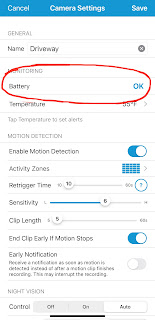
Blink XT2 Thumbnail Failed Fix
Well, this is a bit frustrating. I have one outdoor Blink XT2 camera from Amazon which I installed about a year and a half ago...or maybe tw...